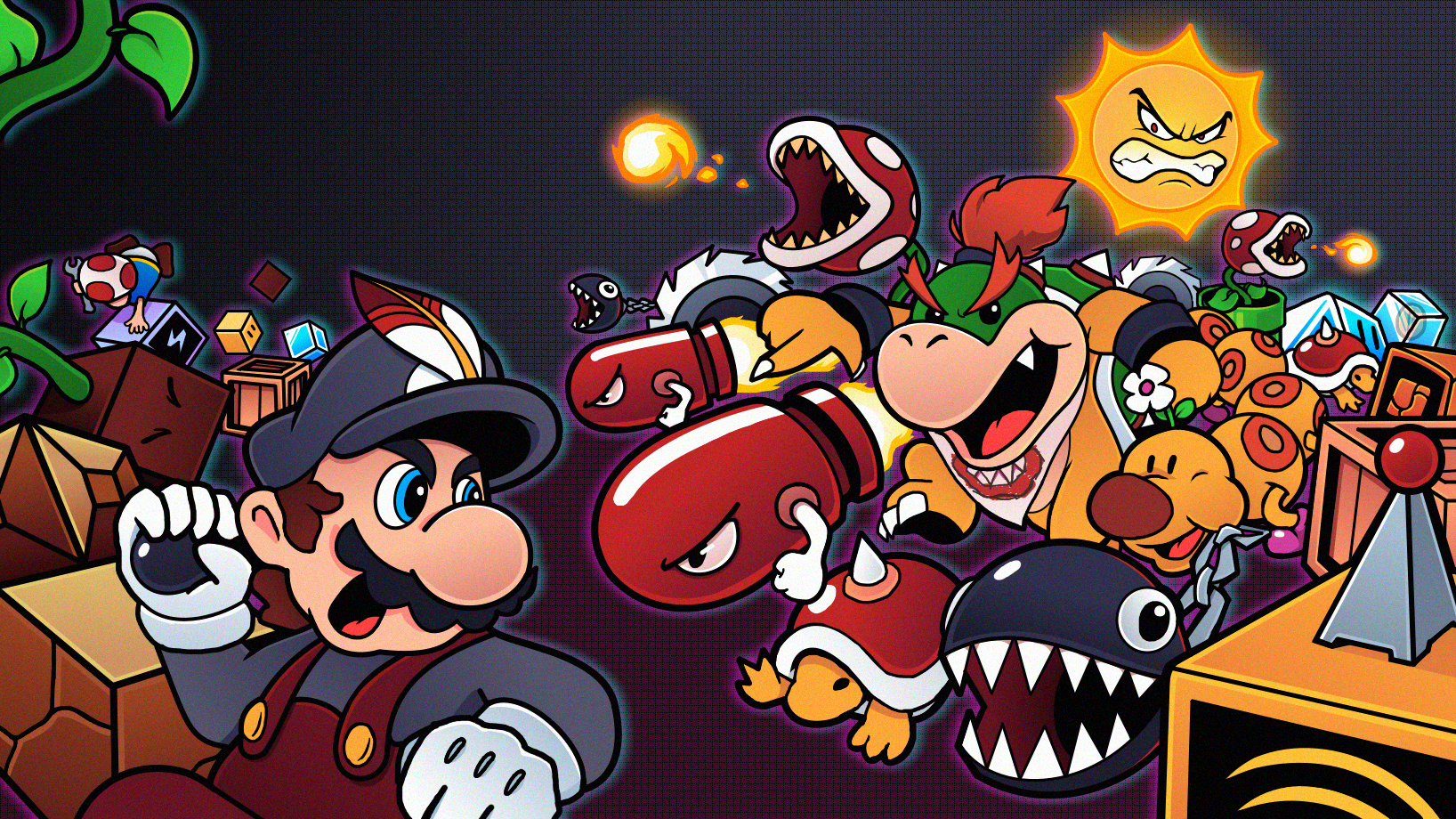
 (Banner done by @VannyArts)
Download SMB1R 1.1
After 6 long months. Update 1.1.0 is finally here!
This update is jam-packed with tons of new features, fixes and improvements, to make SMB1R better than ever!
For anyone confused, 1.1 WAS already available, under bleeding-edge development builds, which contained LOTS of bugs, which we worked hard to squash over the coming months, alongside add extra features, following community feedback. This is the stable build, which contains the final new additions, and FAR less bugs. We urge EVERYONE to update to this new build, as soon as possible!
Theres a bit of everything for everyone here, so if you havent checked out the game in a while, now is THE perfect time to do so!
Highlights
“Muh Accuracies”
Classic Player Physics
To say that people weren’t happy when we didnt include the original player physics, would be an understatement. I still have to keep my windows barricaded everyday to stop people throwing bricks through em, because of it. (thats a joke, no ones actually done that, yet.)
I chose to exclude classic player physics from the initial release of the game, for a multitude of reasons, which I wont go into detail here. However I KNEW that we had to include them as an option, for 1.1. I didn’t want to add them myself however, as I knew that they wouldn’t be good enough, to satisfy people. Luckily I had some help!
Thanks to both JDaster64 (He’s publicly documented the entirity of SMB1’s player physics code) and SkyanUltra, they worked together to port the original games player physics as closely as possible, without completely reworking everything! They feel pretty damn close to me, and I’m sure that it’ll be close enough for pretty much everyone else.
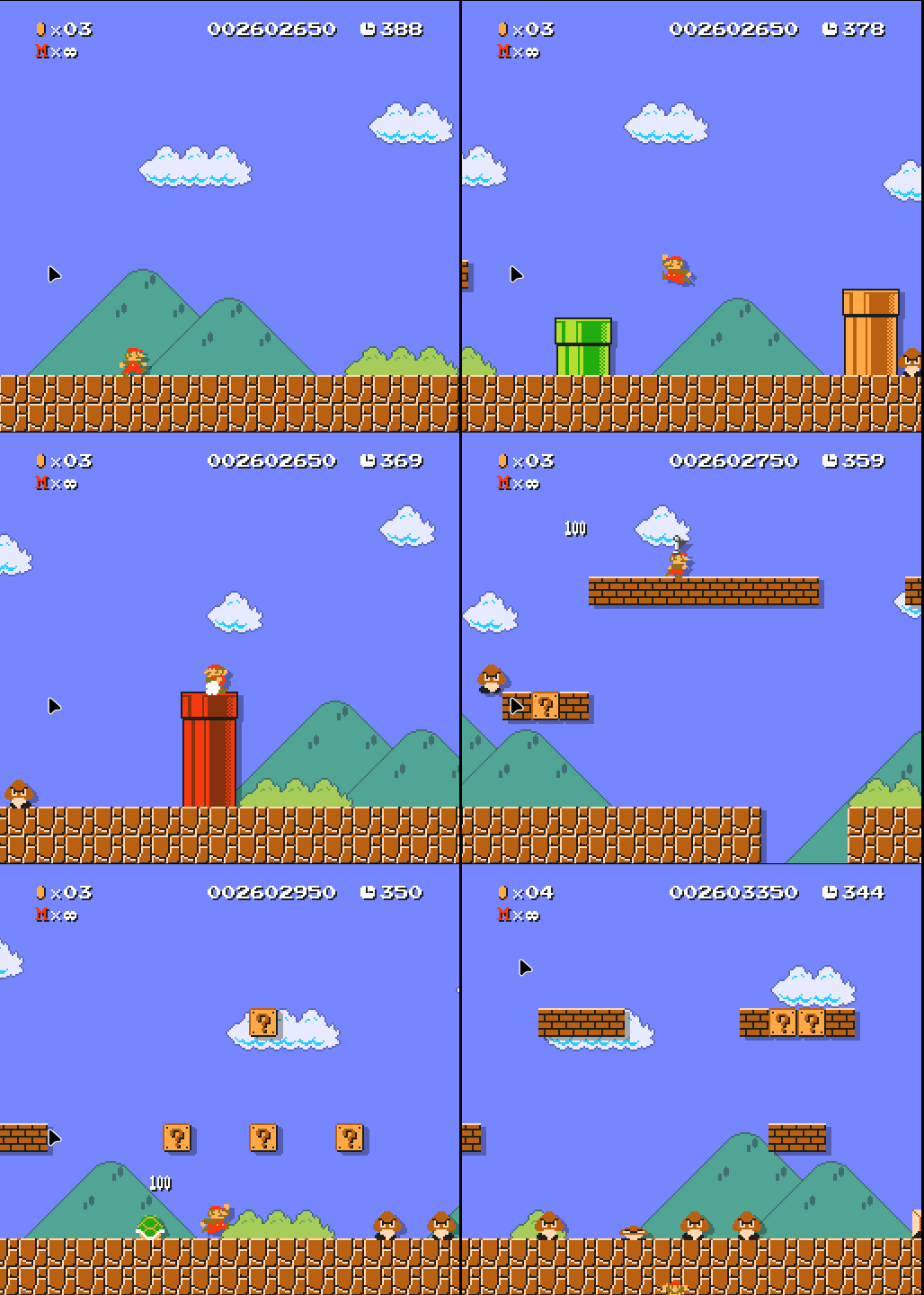
All the base game campaigns, are fully playable, from start to finish, and most casual custom levels, will be completely fine too. However, it’s likely that some of the extra-hard side content, like Golden Boo, Marathon Gold Medals and some kaizo custom levels, might be impossible with these physics, due to the slightly differing movement speeds, that are built with the “Remastered” physics in mind. So please be aware of that.
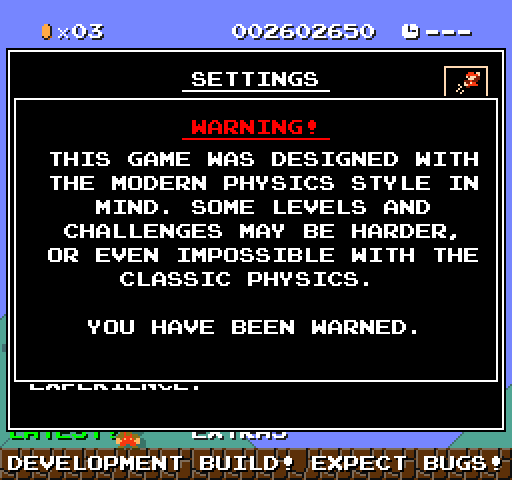
Many people dropped SMB1R early, because of the differing player physics, so I hope that anyone that felt this way, will be encouraged to give the game another shot!
Classic Enemy Behaviours
SkyanUltra also went back and ported some of the more detailed enemy behaviours, to be enabled, under the games “Gameplay” settings menu. Classic enemy behaviours are included for:
- Spinies
- Hammer Bros
- Lakitus
- Bowser
Level Editor Improvements
The level editor was something that wasn’t perfect, at launch. So a LOT of time has been spent here, to try and make it faster, stabler and more usable.
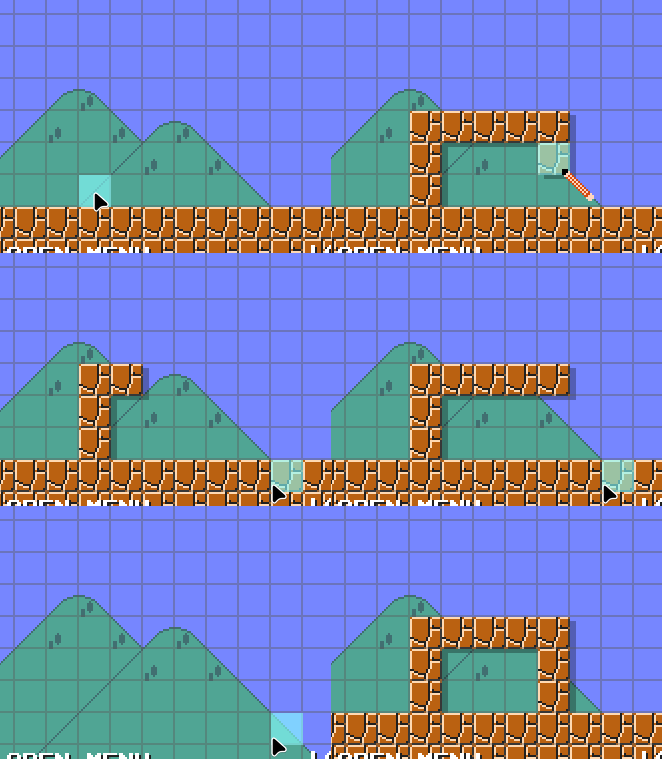
Undo / Redo
You can now finally undo and redo actions, by using the standard shortcuts (CTRL+Z for undo) (CTRL+SHIFT+Z / CTRL+Y for redo). You can al
so hold down each key, to have it blast through a bunch of undos at once!
Toolbar
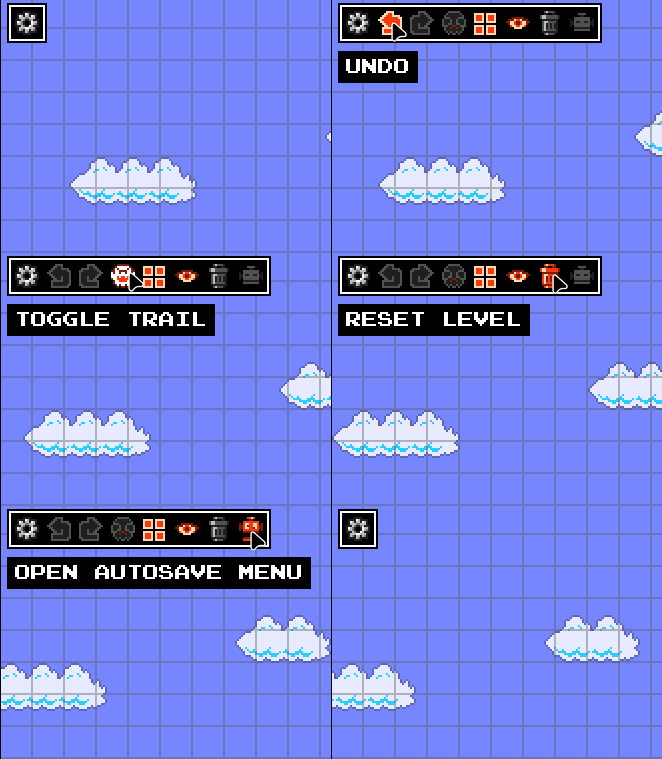
A new toolbar has been added to the top left of the editor, which has a couple handy tools, and shortcuts on it!
Multi-Area Selections
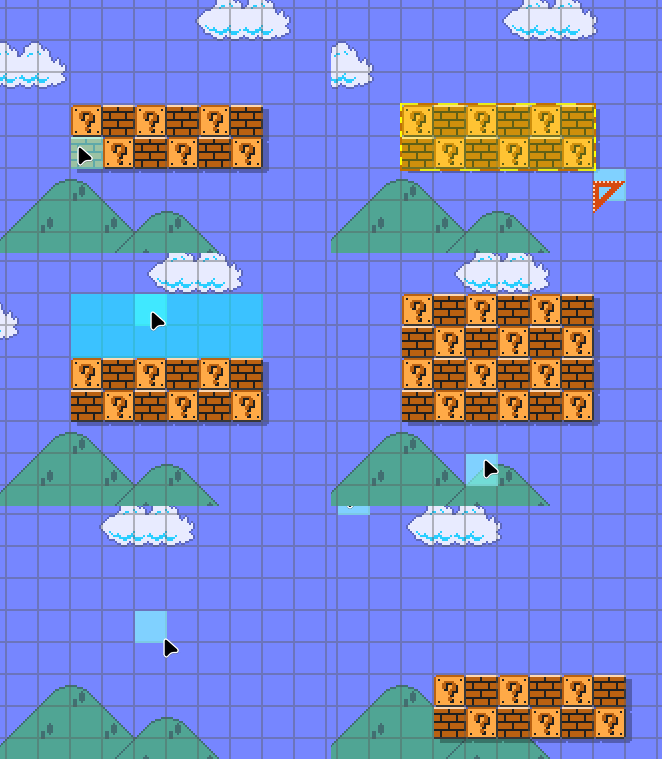
By holding down Q, and dragging your mouse, you can now select a large area of objects, on a specific layer, to cut, copy or paste them, wherever you need! Theres no size limit, so try to be responsible!
Blueprints
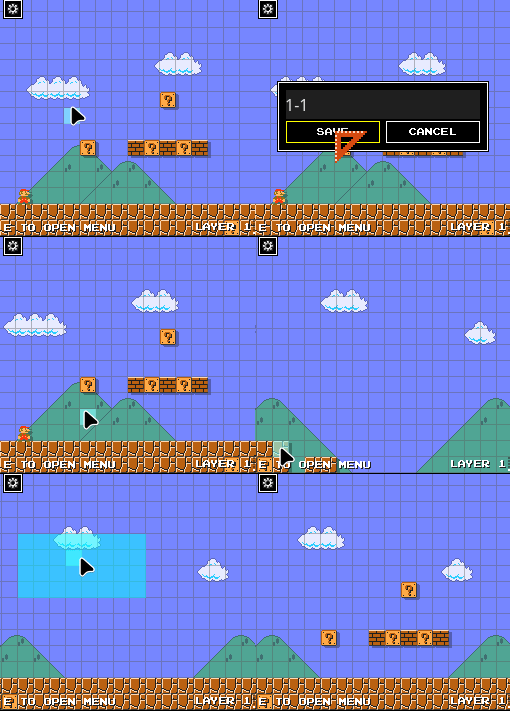
As part of the new multi-area selections, you can now save a selection as a “blueprint” to use whenever you need! Simply press (CTRL+S) with an area selected, and you can save it as a blueprint!
Autosaves
Autosaving has been added into the editor, courtesey of DawnLR’s pull request! With a bunch of customizable settings for it, you can now work on levels, with peace of mind, that a crash wont lose you hours of progress!
Editor Guide
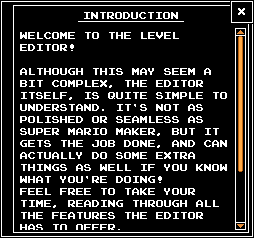
The level editor now comes with a fully written guide, to help explain and act as a quick reference, for if you forget how something works. It’ll pop up the first time you boot up the editor, and can be opened whenever you need it, from the tile menu.
Performance Improvements
Performance of the editor, has been SIGNIFICANTLY improved. Thanks to some investigative work, by the community, we were able to pinpoint some major performance hogs in the code, and MASSIVELY improve both memory usage, fix any crashes, and general framerate improvements, for the level editor, and custom levels, overall!
Custom Level loading has also been MASSIVELY overhauled, meaning that loading and reloading into custom levels, is now super fast!
New Objects
Theres a whole new schmorgasboard of new entities, items and objects for you to play around with!
These new objects include:
Blocks
- Ice Blocks
- Frozen Bricks, Coins, Turn Blocks and Munchers
- Bubble Noteblocks
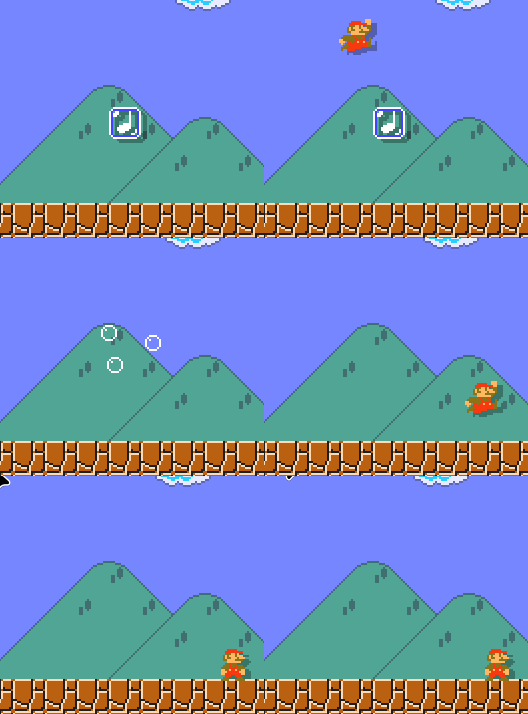
- Crates
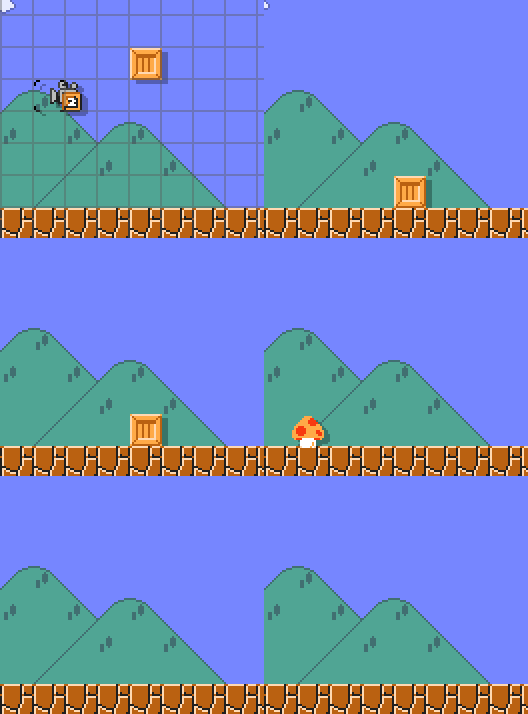
- Snake Blocks
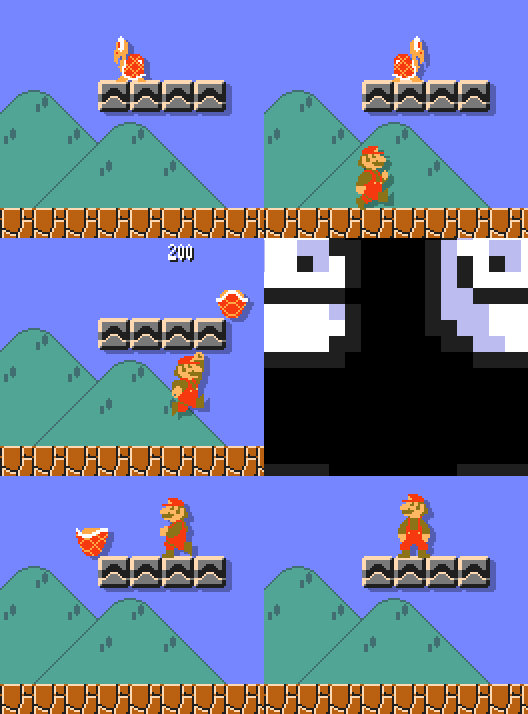
- Bump Blocks
Items
- Superball Flower
- Hidden Coins
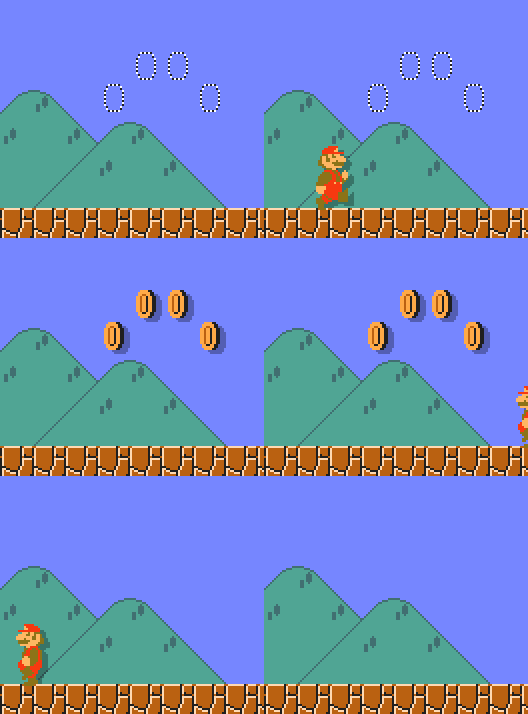
- 10, 30, 50 Coins
Objects
- New Moving Platform Types
- Secondary Cameras
- Grinders (3x3 and 2x2 sizes)

- One-Way Panels
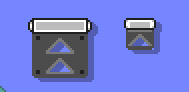
- Water Areas (Turn the whole level underwater!)
- Vines
- Pipe Cutscene Objects
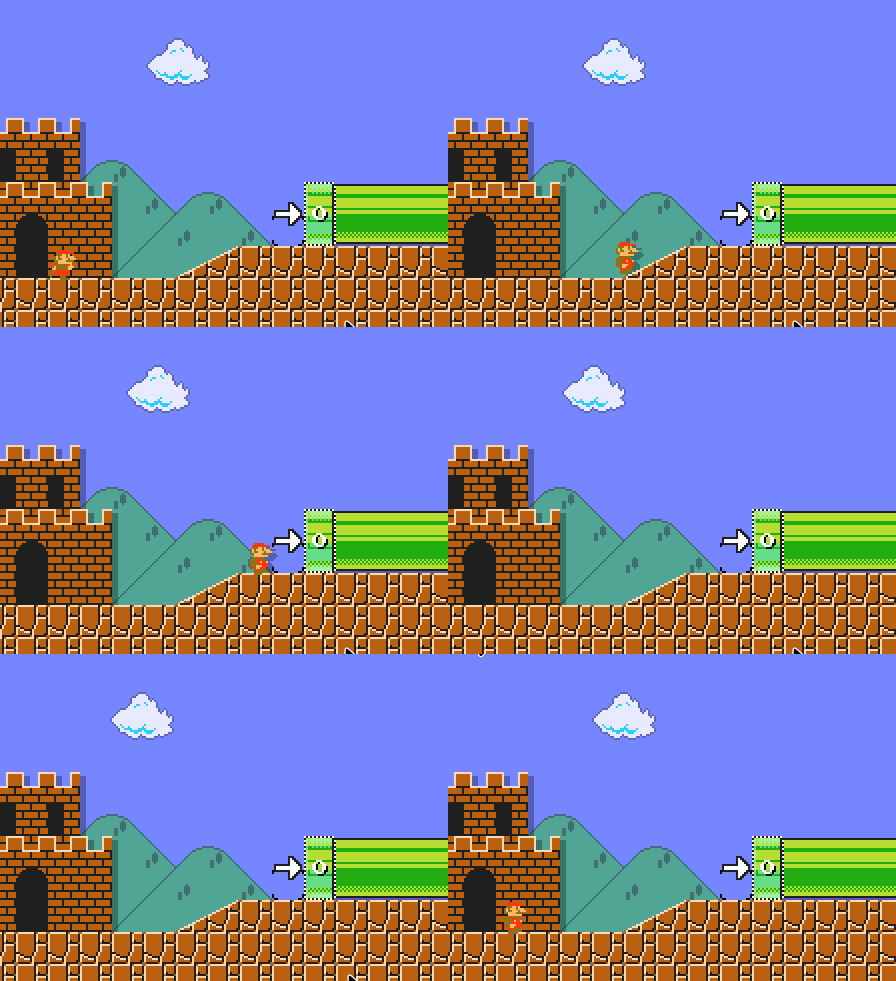
- Goal Pipes
- Signs
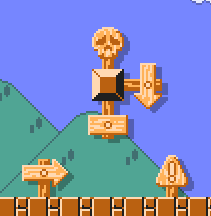
- Start Castles (Purely Visual, no functionality)
Enemies
- Wigglers
- Chain Chomps
- Angry Sun
- Spike Tops
- Homing Bills
- Bowser Jr.
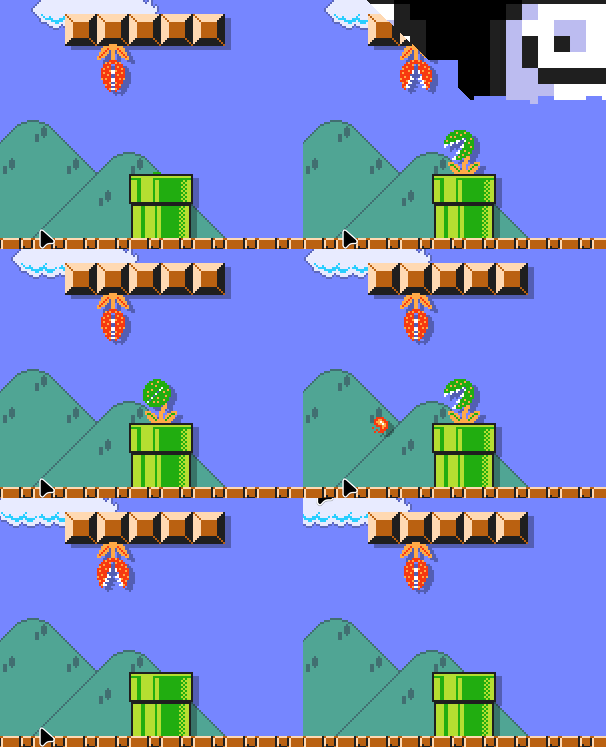
- Fire Piranha Plants
- Static Piranha Plants
Gizmos
HOO BOY! This is one that i’m REALLY proud of. Gizmo’s are essentially a programmable logic system, inside of SMB1R’s level editor.
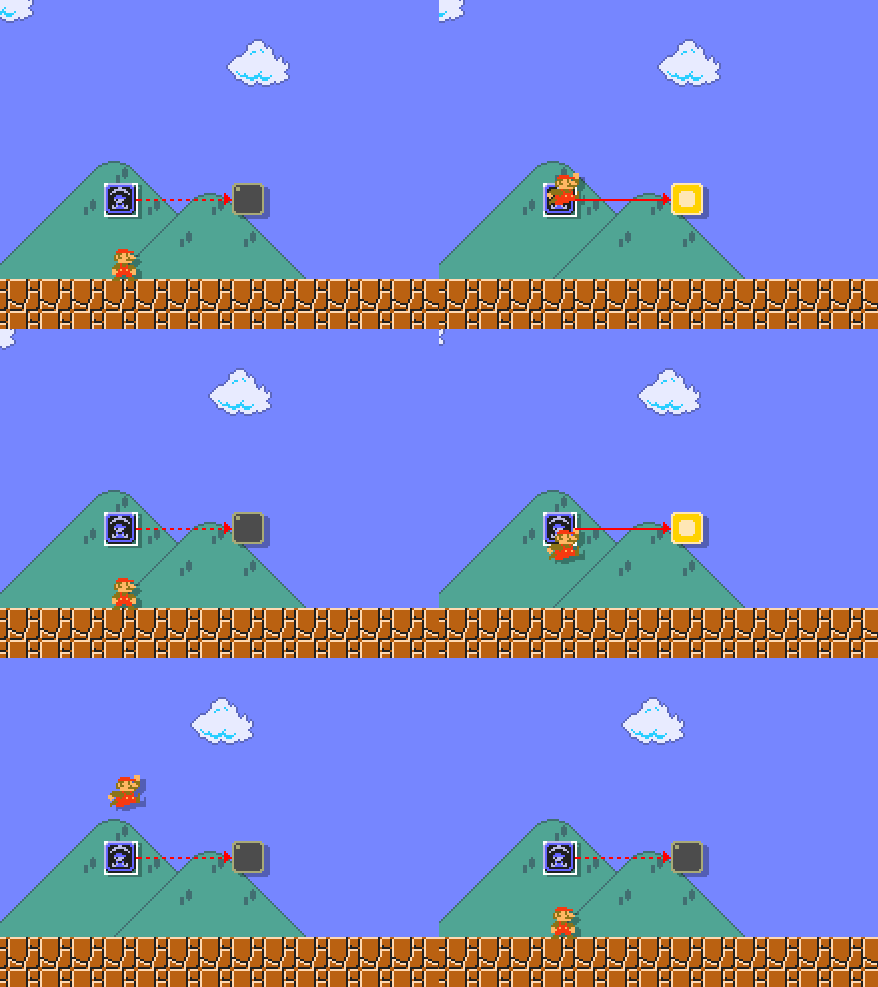
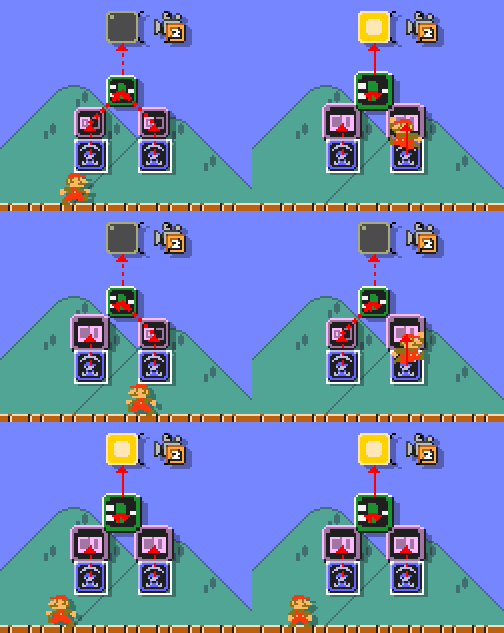
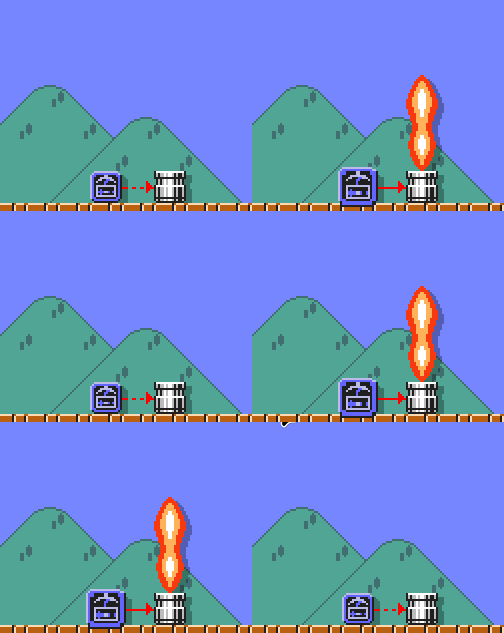
LOTS of people have asked for various features / mechanics, that require a bit more setup than just placing out a couple objects. Gizmos are the solution to that! With Gizmos, you can program new interactions, events and even abilities to create a truly one of a kind experience, for your custom levels.
People have done some INSANE stuff with gizmos already, stuff that I dont even know how its even possible! You can checkout a good majority of these levels, featured on Level Share Square.
Localization Overhaul (Community Localization Maintenance)
With SMB1R becoming pretty popular, we needed to rethink our pipeline for localizations. Since they originally worked via a public Google Spreadsheet, it was difficult to import it properly, into Godot (our engine).
Because of this, we have reworked how localizations are handled, and how they are imported into the game. Localizations are now created and managed via JSON’s, much the same way as LOADS of over things in the game are stored, with each language having its own independant JSON file, which is imported into the game, at startup.
Because of this, it also allows for us to open up maintenance of existing localizations to the community! since all you gotta do is edit the relevant localization jsons, and submit a PR!
These JSONs can also be overwritten via resource packs aswell, allowing you to edit in game text, or potentially test out (or even replace an existing language, to add a brand new one!)
We hope that people will be open to helping out with localizing the game, as there is surprisingly LOTS of text in the game already (and there will be even more in future updates!!! ;) )
Custom Level Improvements
Infinite Time
Custom Levels can now have an infinite time limit! Lots of custom levels were setting their time limits to ‘999’, and spamming clock items everywhere, so we figured we might aswell just make time limits infinite, if you have the levels time limit set to ‘999’.
Enforce Screen Size
Lots of levels are designed around the idea of being played at a specific screen size. However since SMB1R supports every single resolution, it makes some levels harder, or even unplayable, if the player is at a different resolution to whats intended. Because of this, custom levels now have a new “Enforce Screen Size” setting, which will force any player of your level, to automatically switch to your current resolution, to minimize any unintended issues, because of the differing screen size.
Menu Improvements
The custom level menu has also had a nice update! With some new features, allowing you to search for levels in the LSS Browser, alongside sorting between “Downloaded and Saved Levels” in the browser.
Level Packs
Level Packs are a way for custom levels to be linearly, or openly with warp zones, enjoyed one after another, as a unique campaign. They can also automatically load in an installed resource pack, if needed! Theyre fairly simple to setup, and just require you to drag and drop in custom levels you made into a folder, and setting up it’s pack_info.json file. It’ll automatically be added to the games “Campaign Select” menu, where the rest of the campaigns reside.
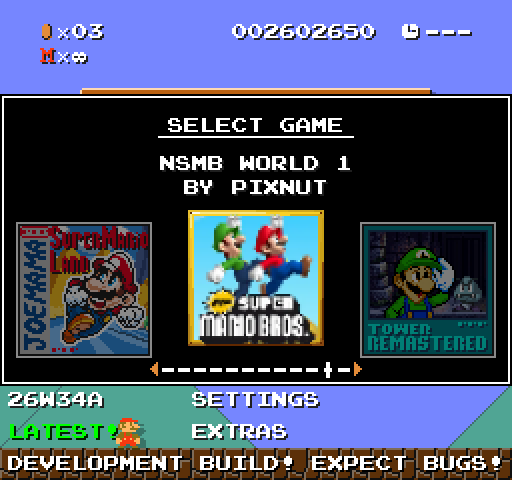
(Left Pack) (Center Pack) (Right Pack)
if you want to get started, download the Level Pack Template which can also be found on our discord server!
Resource Pack Improvements
All the additions here, will be documented on the official SMB1R Wiki, any that are missing, will be added soon! Please be patient!
Theme Changer
A lot of people wanted a way for resource packs to easily change existing levels themes, whether due to personal preferences, or accuracy, or whatever.
With 1.1, resource packs now have a brand new “themes.json”, which allows resource packs to redefine various attributes with levels, and their backgrounds, using the existing variation system
Internally, themes are simply strings, and dont have a hardcoded set of themes that you HAVE to abide by. Because of this, you can TECHNICALLY add your own themes and times of day into the game, so long as its only for base game levels.
Alongside this, the theme changer also allows you to specify the brand new “Level Metadata” system, which allows you to set new flags, to easily create new backgrounds and extra variations for specific levels, WITHOUT having to spam a bunch of variation keys, to get the specific level you want, for each JSON file!
Sprite Animation Loop Offsets
One limitation of using Godot’s AnimatedSprite2D system, for the games sprites, is that looping animations, cannot specify which frame they loop from. However I was able to come up with a custom workaround for this! Animation’s defined via JSON, can now have an optional “loop_offset” key, which allows you to specify which frame of the animation, a loop should go to.
Sprite Blend Modes
One interesting thing of Super Mario All-Stars, is that it uses a lot of special blend modes, for its sprites. Used especially in underwater levels, where the overlayed water, uses the “Additive” blend mode. All sprites are now able to use a specific blend mode, defined in their json file! All sprites by default, use the “Mix” blend mode.
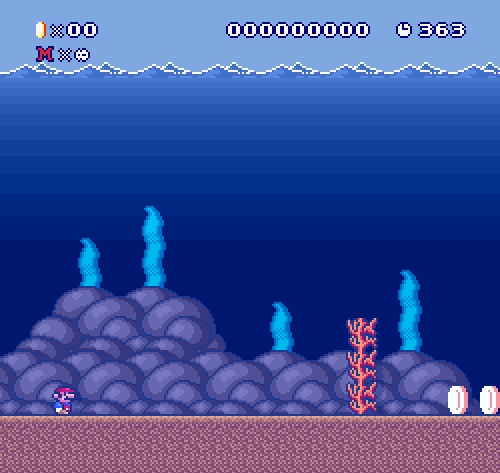 (Additive blend mode is used on the water overlay, to make the water look brighter.)
Metadata Variations
LOTS of people have previously asked for various HYPER SPECIFIC sprite files for certain sprites (Unique hammer sprites for bowser, etc), and I never wanted to add them, due to just bulking up the file count with a bunch of different versions of the SAME sprite. Luckily, this is where Metadata Variations come in!
Metadata allows me to add in extra information onto a sprite internally, which can then be accessed via jsons, to be used as a variation. This way, we can specify LOAAAADS of new versions of the same sprites, without adding any extra code, or files!
Theres only a handful of them currently, but I do plan to add in more, based on what the community would like, in future patches.
SFX JSONs
SFX’s can now have variation JSONs specified! Simply create the relevant json file for the sfx file (“Jump.wav” = “Jump.json”), and the game will automatically get the variations from the JSON file! These are completely optional, and no jsons are created automatically, you only need to create JSON files for the sfxs you want to have variations.
Pack Config Descriptions
At launch, resource packs had a simple config file, which you could edit in game, from the resource pack menu, however I never considered adding descriptions to the options, to allow pack creators to further clarify, what each setting did. Luckily, they now can!
Resource Pack Debugging
For a while, resource packs never really told you what was going wrong with them, IF there was anything. This mean’t that we had a LOT of confusion, and frustration from people, not understanding why something wasnt working with their resource packs.
Thanks to DawnLR, and their PR, resource packs can now spit out a whole slew of new warnings and errors, depending on what goes wrong. Warnings can be enabled optionally, inside of the pack_info.json file, and are enabled automatically, upon creation of a resource pack. Use "enable_warnings", to turn them on, if you want to enable them, on an pre-existing pack.
We hope that by READING THESE WARNINGS you can better understand how resource packs work, and can avoid common pitfalls and mistakes that others make, in the process.
Player Improvements
Custom characters, were unexpectadely one of the most popular modding features we added, for SMB1R. Because of this, SkyanUltra spent lots of time, reworking how the player works, to allow for FAR greater customizability, in terms of values for what the player can do. There are some seriously cool custom characters made, using these new systems, I recommend checking out the games GameBanana Page to see what the community has been able to cook up! (it’s seriously cool.)
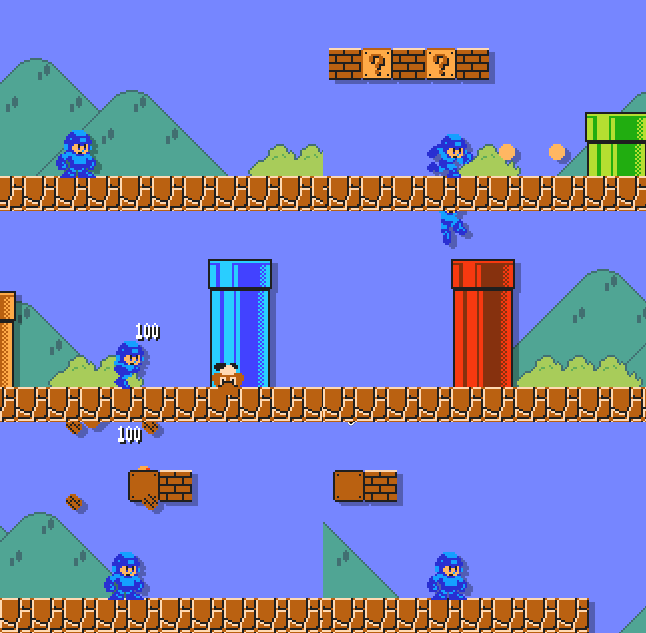 (Charma’s Mega-Man custom character)
Custom Projectile System
One of the coolest parts is that powerups can now choose unique projectiles to be used, instead of having their default fireballs and superballs. You can spawn in ANY entity within the game, and use it as a projectile.
Customizable Physics
Nearly EVERY single parameter to do with the player, can be fully changed in their CharacterInfo.json file, alongside also being able to enable various behaviour linking to classic and modern physics, incase you want to further “refine” the pre-exisiting physics.
Customizable Power States
The player’s power states can also be completely customized! From adding or removing projectiles, to changing hitbox sizes. The player’s power states can be customized to better refine your characters quirks!
Controller Deadzones
Ok ngl im getting really sick of writing all this now. Basically my controller started drifting, so i decided to add a deadzone feature for controllers, that made it a bit better. Hopefully some others will appreciate this.
And much, much, more.
This obviously isnt EVERYTHING changed, theres HUNDREDS of other new things that I’ve probably forgotten to mention, so I recommend just checking the update out, and discovering all the new stuff, yourself!
What’s Next?
So. Whats the plan now?
Well, as you’ve hopefully seen the release trailer, our current sights are focused on 1.2. Which aims to bring over ‘VS Super Mario Bros.’ to SMB1R. VS will have a brand new gameplay gimmick, similar in nature to All Night Nippon.
Progress on the mode is at about 70%? The core gameplay loop has been locked down, and the staff and I are incredibly happy with how its shaping up.
As shown in the trailer, it will feature some brand new level themes, and the introduction of a new villain: Phanto!
As also shown in the trailer, 1.2 will have its first snapshot release pushed ALLLL the way back to Q1 2027. Unfortunately we VASTLY under-estimated how long 1.1 would be in snapshots for, and we’ve already entered Q4 of 2026, to me it made sense to give us PLENTY more time to get 1.2 as good as it can be.
1.2 will also be featuring A LOT of rewrites for various systems, to support LOTS of new highly requested features, for both resource packs, and custom characters. This delay will allow me to make sure these rewrites get the attention they need, reducing the risk of it ruining the codebase.
Apologies if you were looking forward for 1.2 to be ready relatively soon, cheers for understanding.
I won’t say MUCH about VS, but I WILL say, that resource pack makers, are in for a HELL of a time, and some of you will think I’ve totally lost it (I probably have). SMB1R has sort of become a playground for me to try various different ideas I have, for original game content, not found anywhere else, while also trying to “remaster” any other SMB1 related stuff we have missed so far. I hope that you will be excited to see what the team and I come up with next!
We’ve mentioned this before, but don’t worry if you’re not onboard with this direction for VS. As we’re also planning to feature the games original mode, into SMB1R as well! Including offline leaderboards!
The game won’t get updates forever however, I’ve only got a few more ideas for what other updates could be. I’d estimate around 2-3 more updates left from me. afterwards, who knows? Some of the team have expressed great interest in doing our own unique game after this, which I hope some of you may stick around for, if you like SMB1R, you’ll definitely like whatever we have in store next!
 (John will see you in 1.2…)